Creating a reliable team communication dashboard
Overview
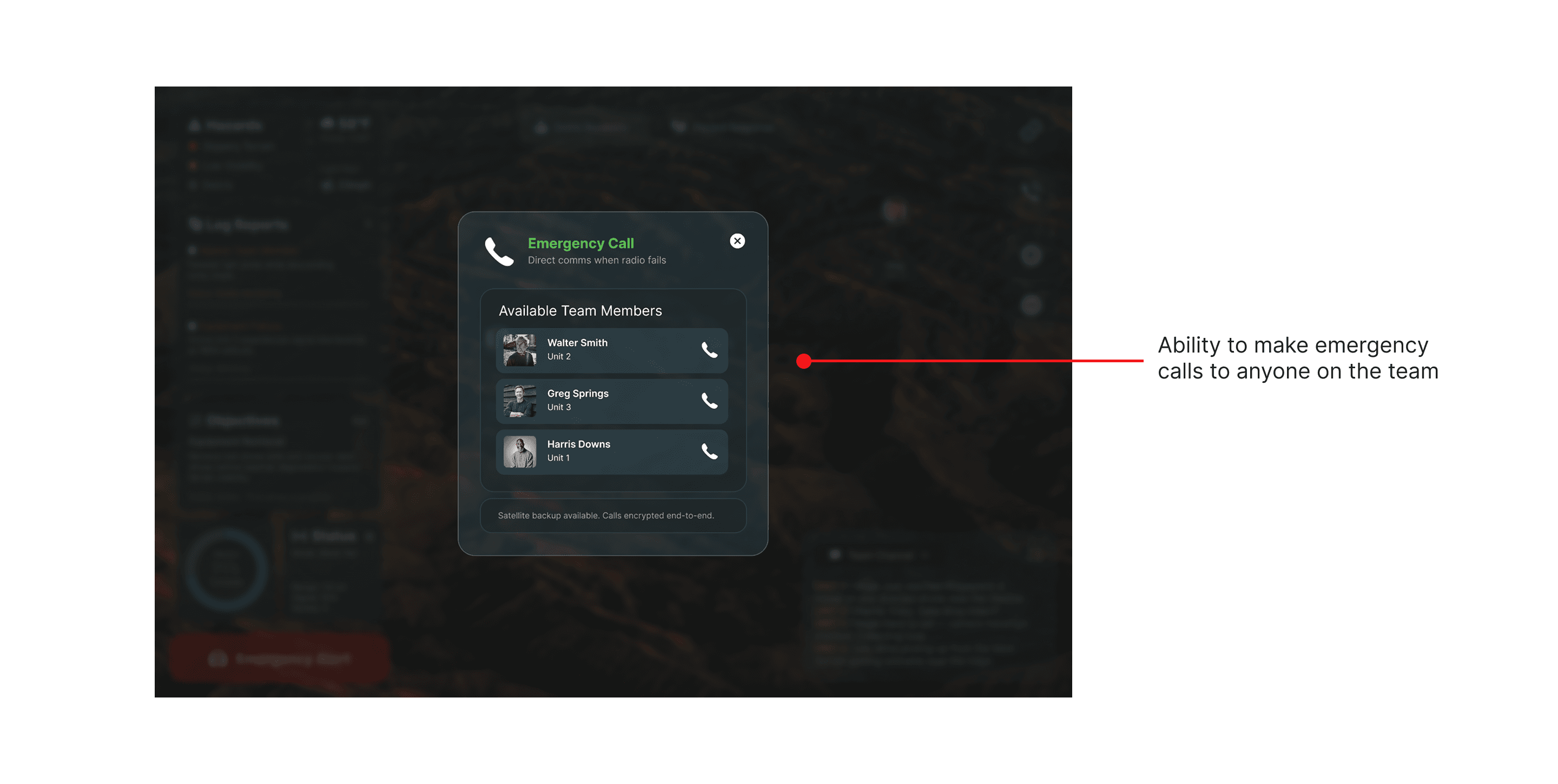
Relay is a new student concept for a mission coordination and communication system built for tough, low signal environments. It helps teams working in disaster zones, rural areas, and remote field operations stay connected when radios or cell service fail.
Relay was created for field teams and command staff who need reliable tools in challenging conditions. These users often:
Work in areas with poor or unstable signal
Coordinate multiple units/teams across large areas
Need fast access to safety critical information
Role: UX/UI Designer
Timeline: 5 weeks
Tools: Figma, FigJam
Project Type: Concept project
User Needs
Teams need a clear, real time view of their mission that shows current conditions, team locations, and next actions without slowing response time.
Research
To understand these environments, I studied emergency response workflows, mission dashboards, and real time mapping tools. Many systems focused heavily on communication alone, while others prioritized data but lacked clarity in urgent moments.
A consistent pattern emerged. Teams had access to information, but it was not organized around what mattered most in the moment. Hazards, weather changes, and mission updates were easy to overlook. Emergency actions were often buried behind multiple steps. The core issue was not missing data, but lack of clear prioritization under pressure.
The Problem
During emergency or remote missions, teams work under intense pressure with weak connectivity and information spread across different tools or conversations. This makes it difficult to get a clear, real-time picture of what’s happening in the field, especially when decisions need to be made quickly and safety is at risk.
As a result
Process
I explored complex dashboards and dense data views early on, but they felt overwhelming. I shifted toward a system that surfaces the most important information first, with deeper details available when needed.
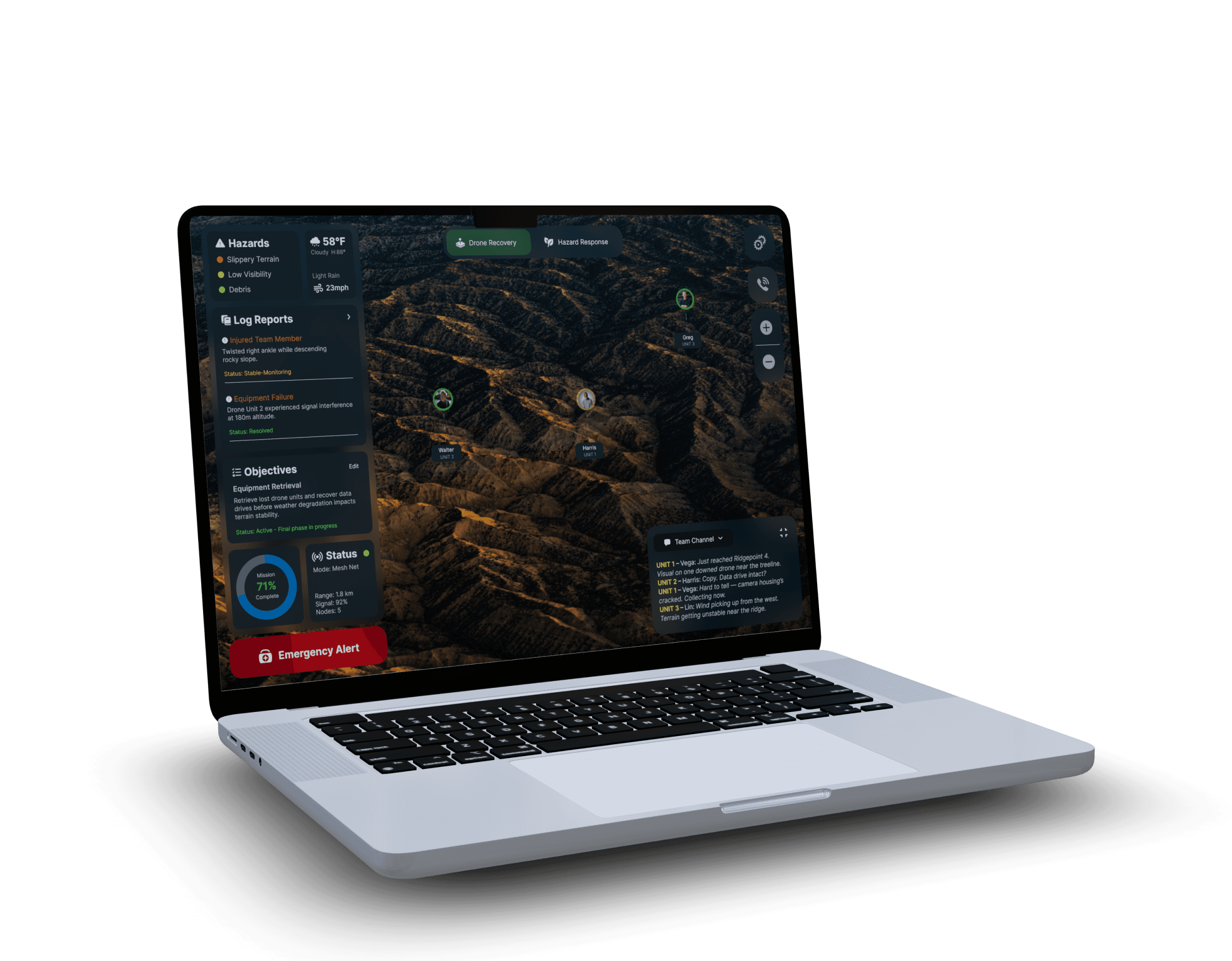
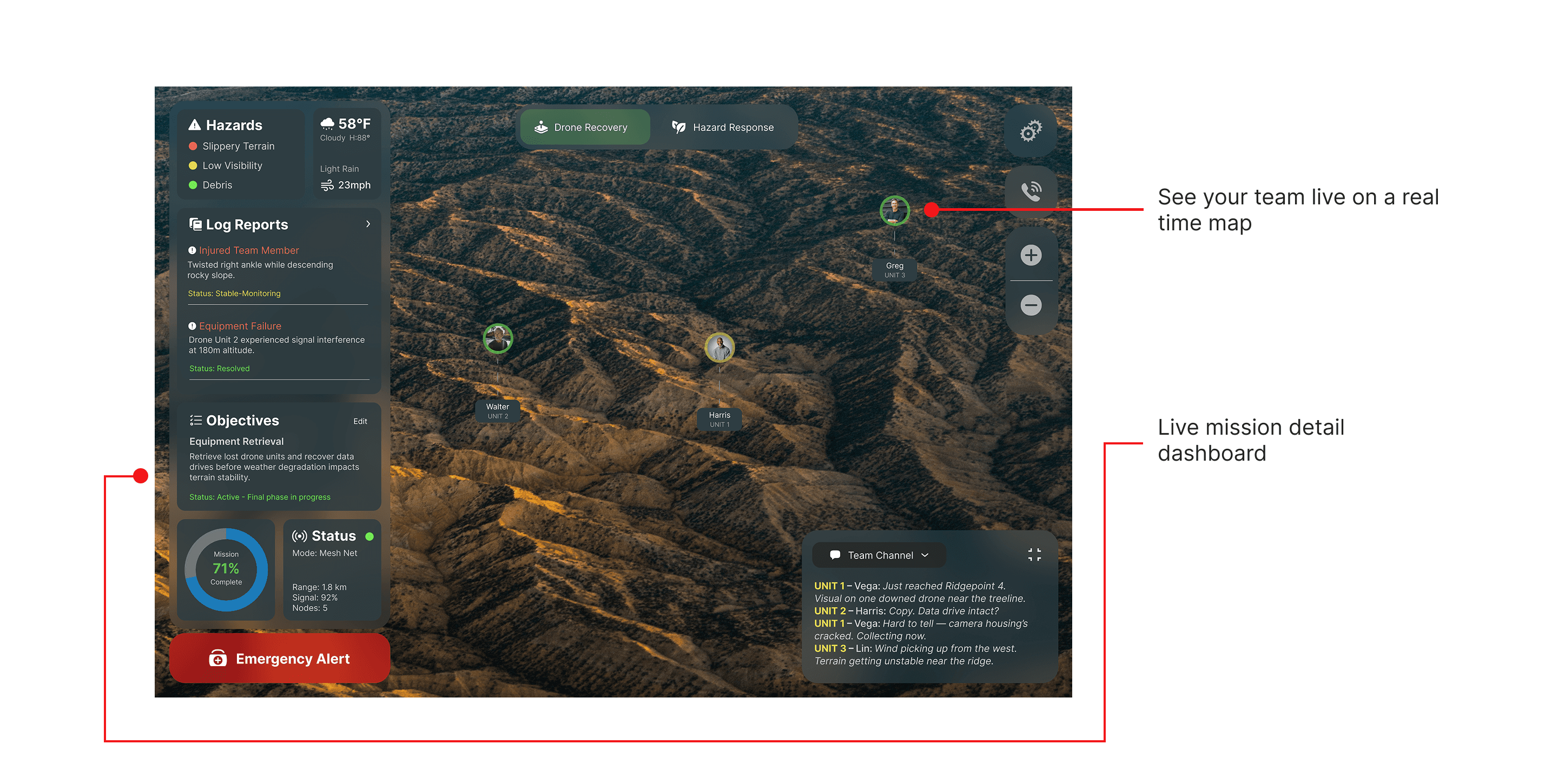
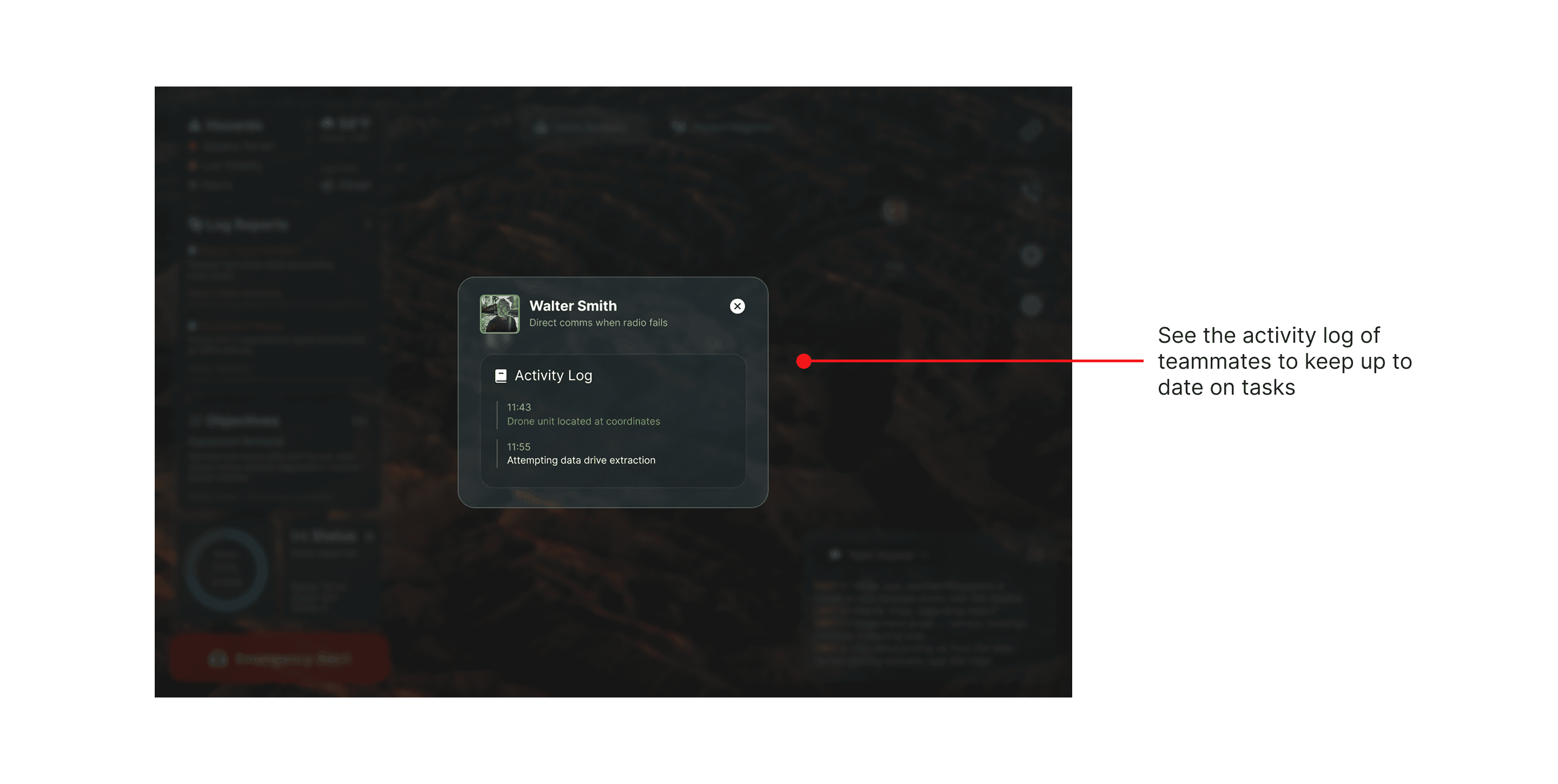
The design centers on a live map that shows team locations, paired with clear panels for hazards, weather, objectives, and logs. Emergency actions are always visible and accessible.
Design Goals
User Feedback
During informal feedback sessions, users responded well to the clear map view and emergency alert system. Some noted that smaller details could still be missed during intense moments. In response, I improved visual hierarchy, increased contrast for alerts, and simplified labels to improve scanning and speed.
Solution
The final prototype reflects a balance between clarity and credibility, helping patients understand their medical information without feeling overwhelmed or confused.
Keep critical information visible at all times
Support fast decision making under stress
Centralize mission data in one shared view
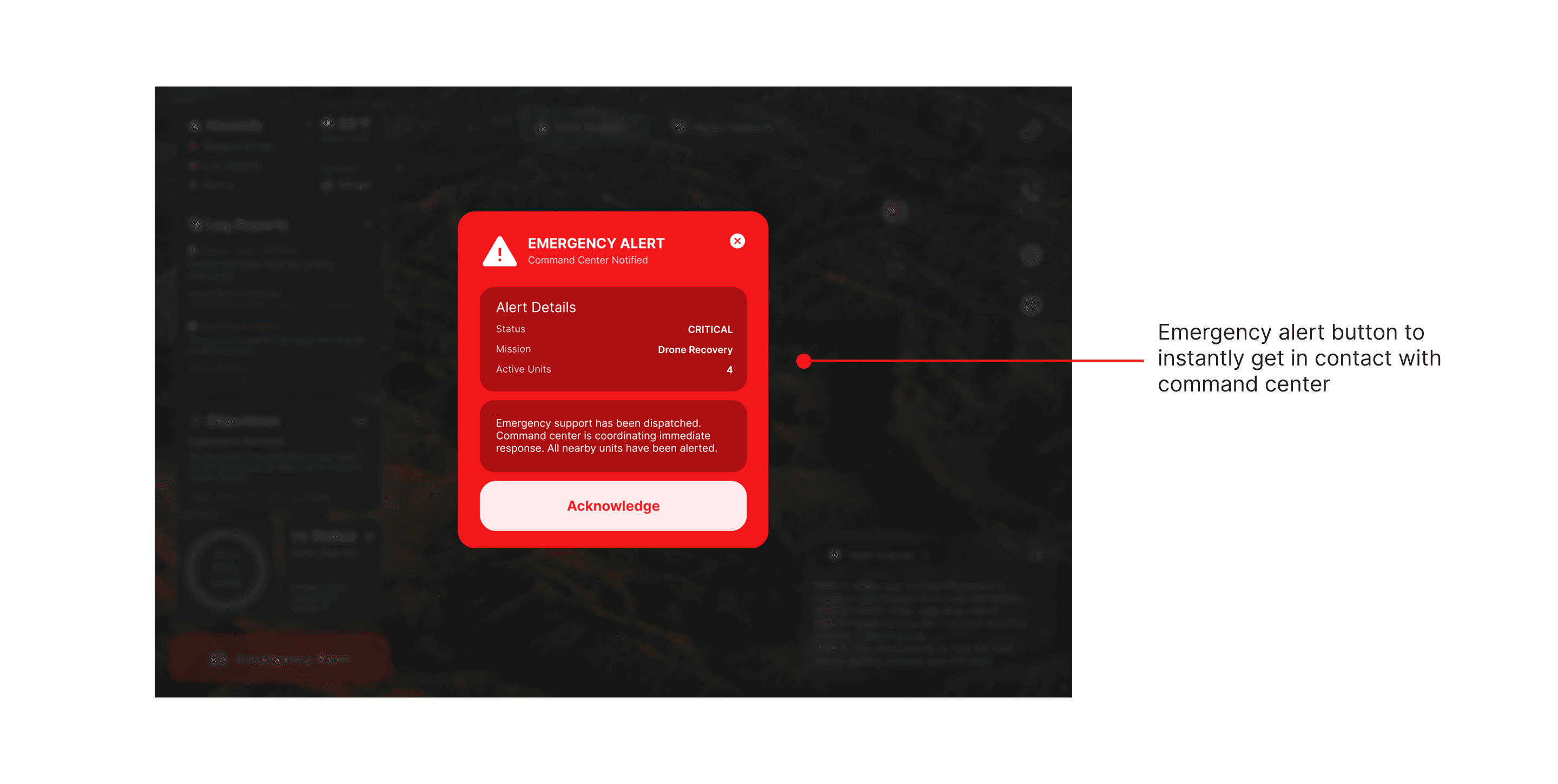
Make emergency actions impossible to miss
Impact & Reflections
Performance Against Objectives
Relay meets its core objective of improving situational awareness in high risk environments. By centralizing communication, safety data, and mission context, it reduces confusion and supports faster, more confident decisions.
Impact on Users
Relay is designed to help teams feel supported and informed, even in unstable conditions. Clear hierarchy and simple interactions reduce cognitive load and help users focus on the mission instead of the tool.
Lessons Learned
This project reinforced the importance of designing for extreme contexts. In high stress environments, clarity, speed, and trust matter more than feature depth or customization.
Areas for Future Improvement
Future iterations would include field testing with real response teams, improved offline behavior, and deeper integration with external data sources such as satellite systems.
Thank You!
This project strengthened my ability to design systems for safety critical environments, balancing complexity with clarity and keeping user focus on what matters most.