Writing Process Redesign — Clarifying How Students Learn to Write
Overview
This project is a redesign of an existing student-facing writing resource originally built as a single, media-heavy page. While the content itself was strong, the experience reflected outdated design patterns, with instructional material hidden in navigation menus and users expected to explore and assemble the writing process on their own.
The goal of the redesign was to improve clarity, discoverability, and learning flow, while aligning the experience with GCE’s/GCU's UI design standards. Rather than starting with a fixed solution, the project focused on understanding how students access writing support and iterating toward a structure that best supported that behavior.
Designed For Students Who
Feel unsure where to begin when given a writing assignment
Struggle to locate relevant writing help at the right moment
Become overwhelmed by dense, all-in-one resource pages
Benefit from structured guidance through complex tasks
Role: UX/UI Designer
Timeline: 8 weeks
Tools: Figma, Illustrator
Project Type: (Shipped) Educational Media Redesign
The Problem
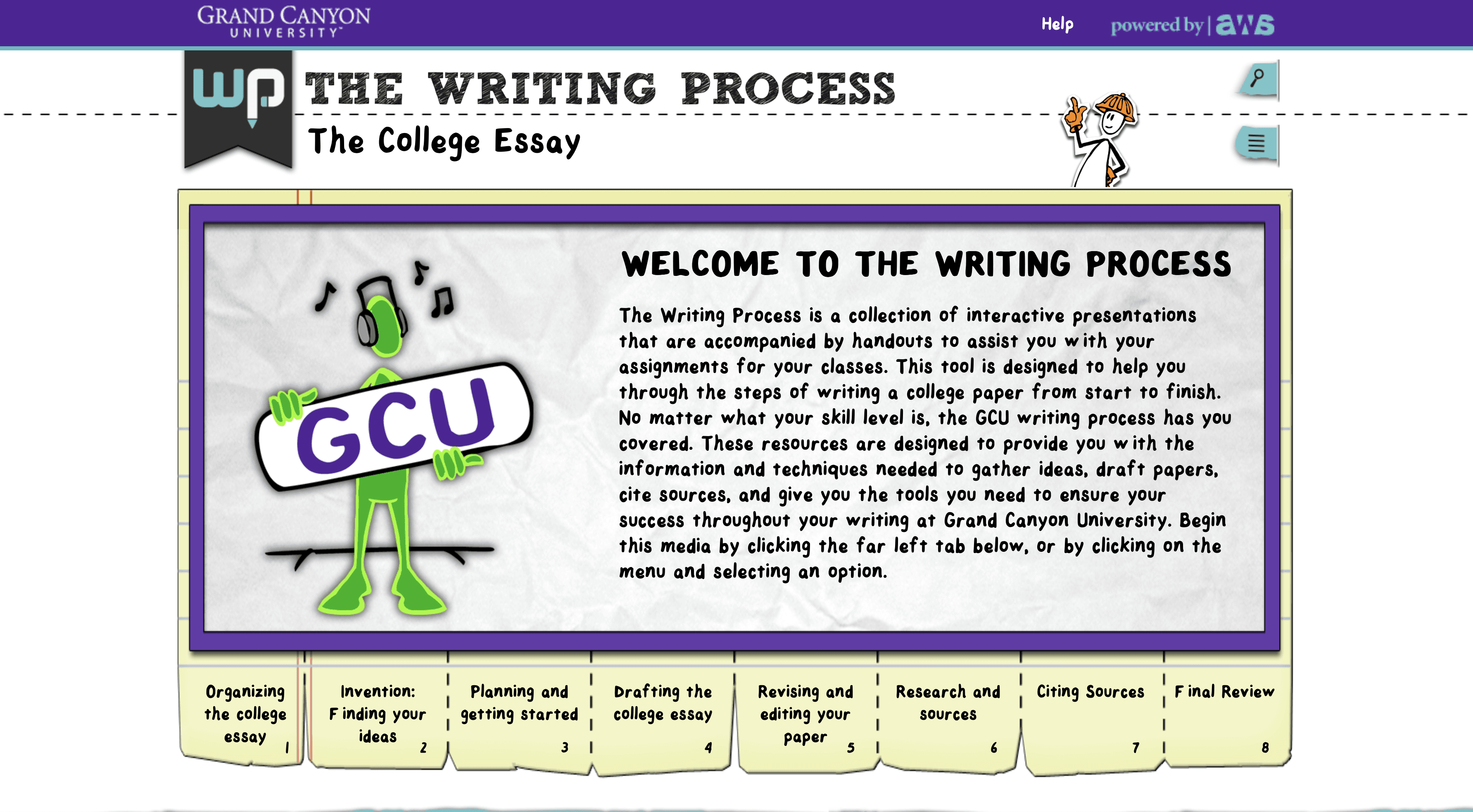
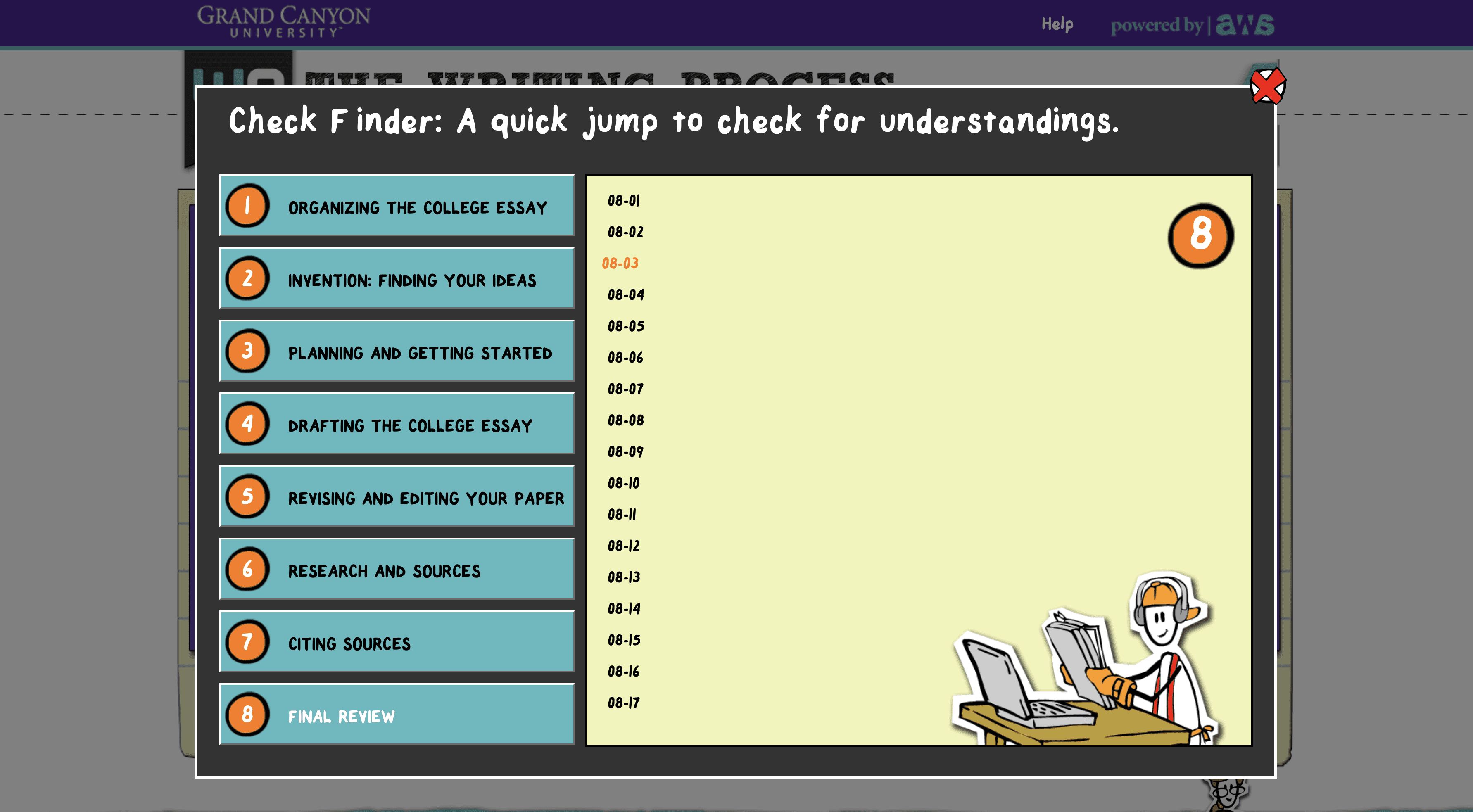
The original writing resource presented the entire writing process in a single-page format, relying heavily on menus, tabs, and hidden interactions. While comprehensive, the structure placed a high cognitive load on users and made it difficult to understand how the pieces fit together.
Key issues:
No clear sense of progression through the writing process
Educational videos and resources buried in navigation
Patients leave appointments unsure of what was said
An interface that emphasized exploration over instruction
Research & Early Insights
To ground the redesign, I reviewed modern educational platforms and internal student resources. Across examples, effective learning tools shared two traits: clear sequencing and content surfaced at the moment it’s needed.
This research suggested that students benefit when instructional content follows a logical flow—but it was important to test how much structure was helpful without oversimplifying the material.
Wireframes
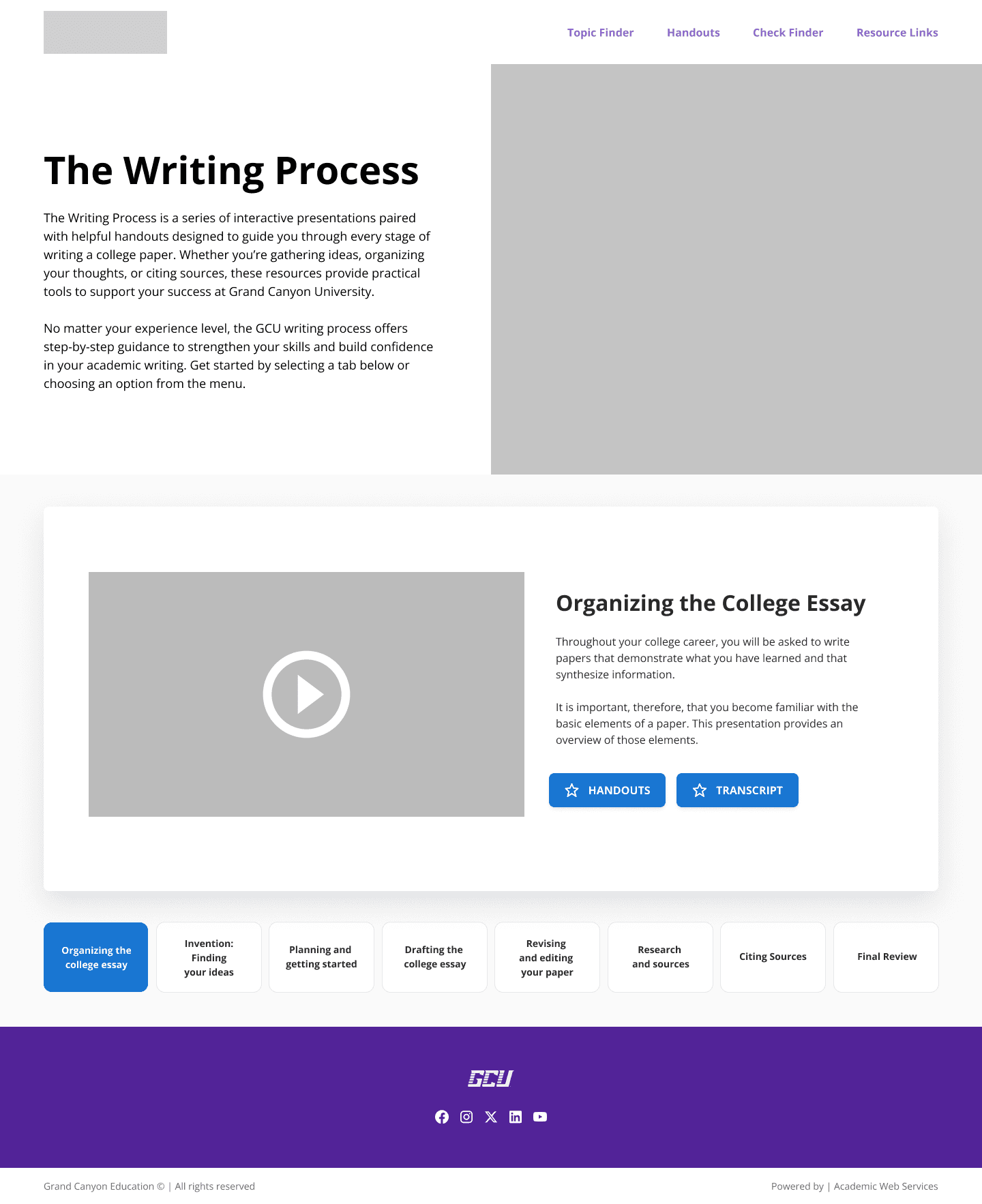
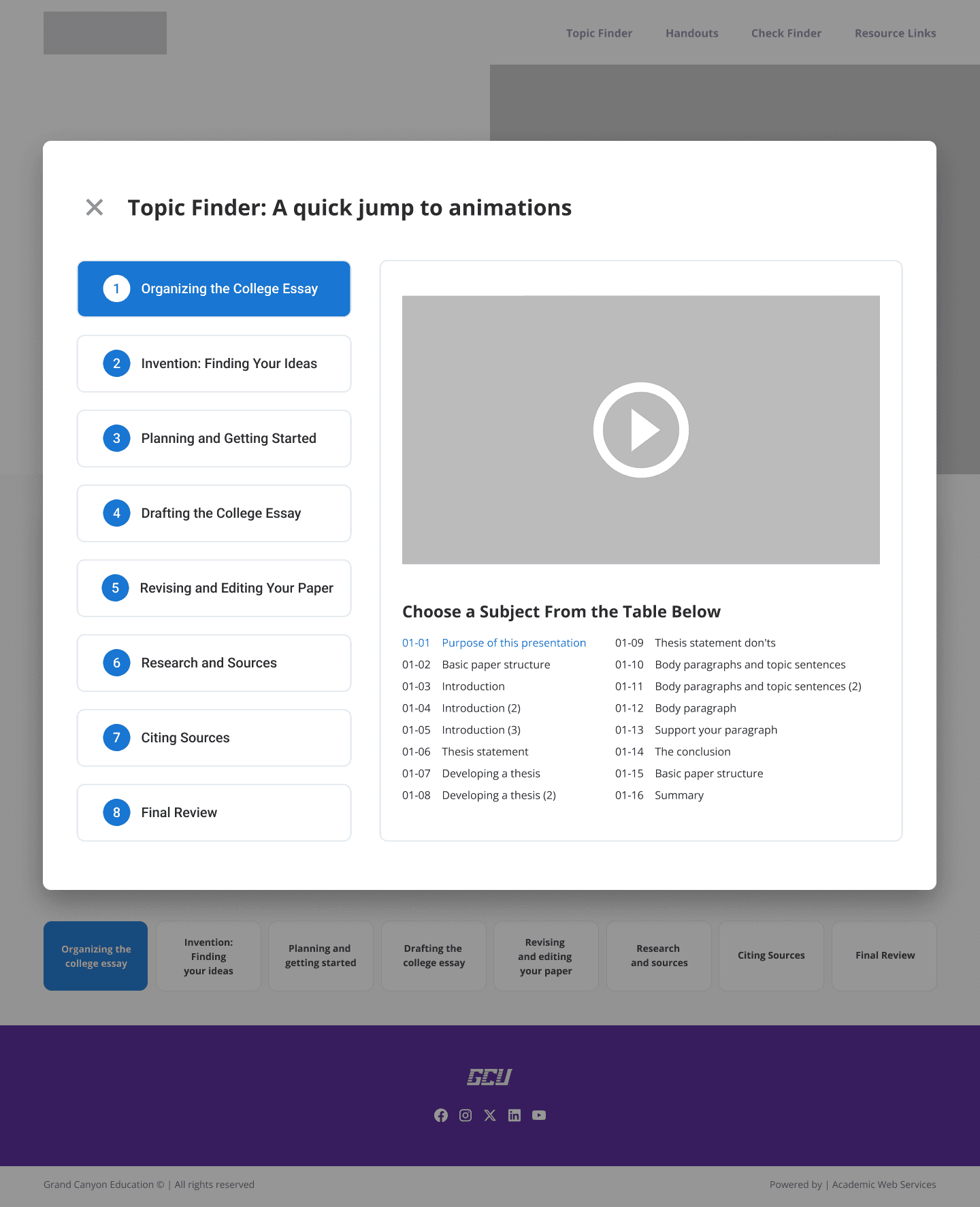
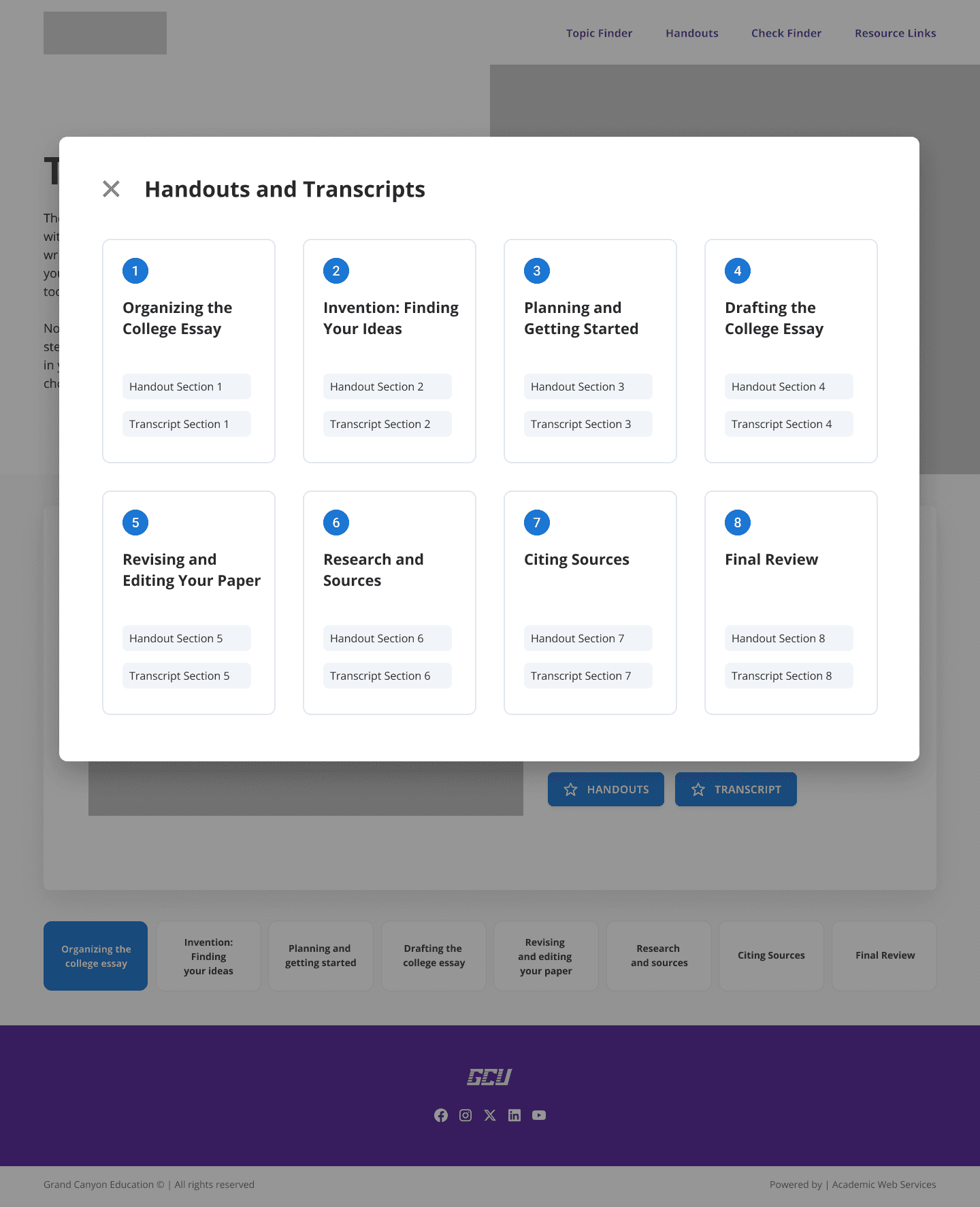
The first design iteration focused on improving clarity within the existing one-page model. Wireframes introduced a centralized landing page with modal-based access to videos, handouts, and transcripts, allowing users to view content without leaving the page.
This approach aimed to:
Reduce visual clutter
Improve Scannability
Surface key resources more clearly
While this version modernized the interface, it intentionally stopped short of fully redefining the site structure.
Initial User Feedback
Early feedback confirmed that the cleaner layout was easier to use, but revealed a deeper issue: students still felt overwhelmed by seeing the entire writing process at once.
Users shared that:
Each stage felt important enough to deserve its own focus
Modals made it harder to stay oriented within a single step
Videos and resources felt detached from the instruction they supported
This feedback highlighted that the challenge wasn’t just visual—it was structural.
Design Pivot
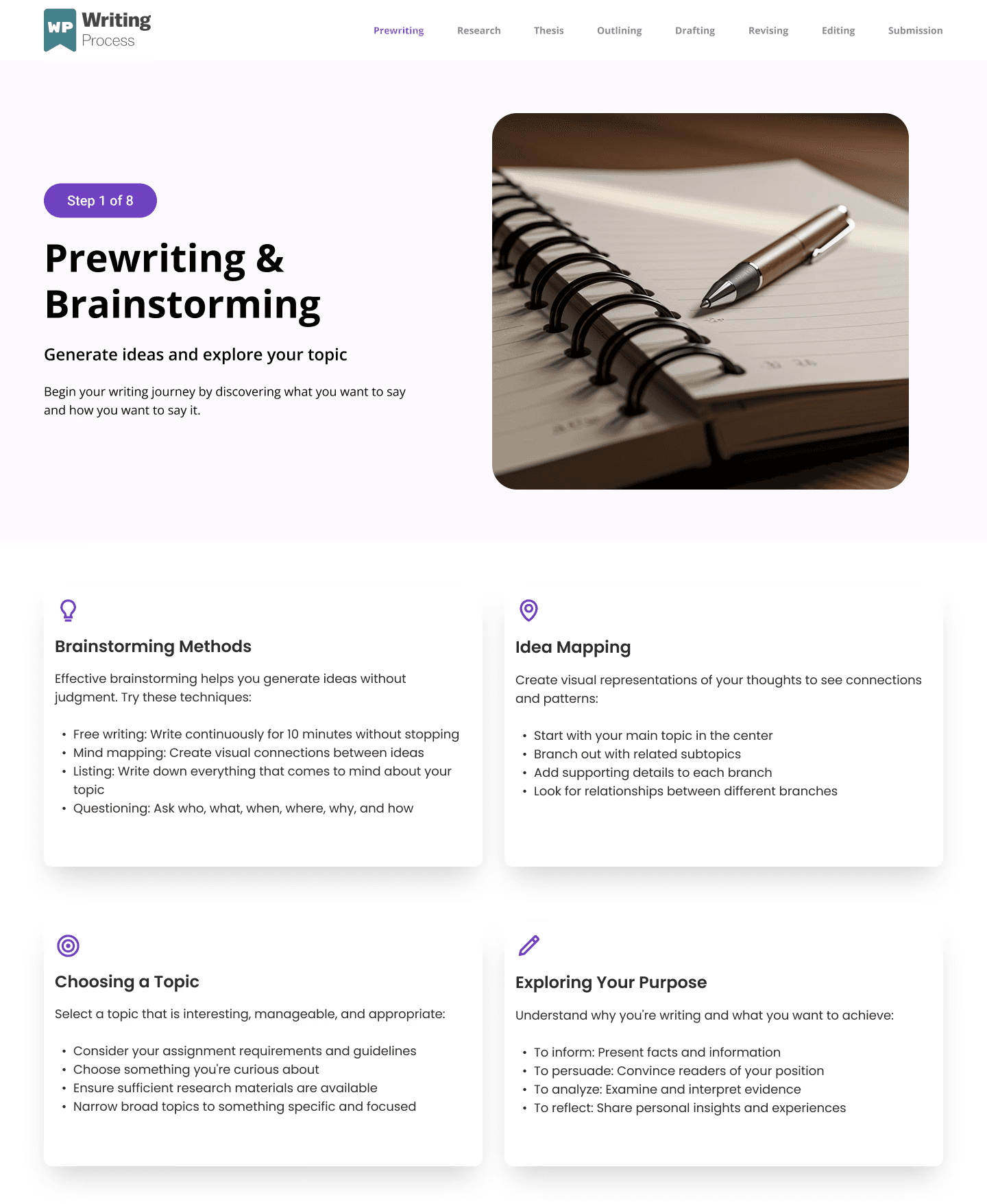
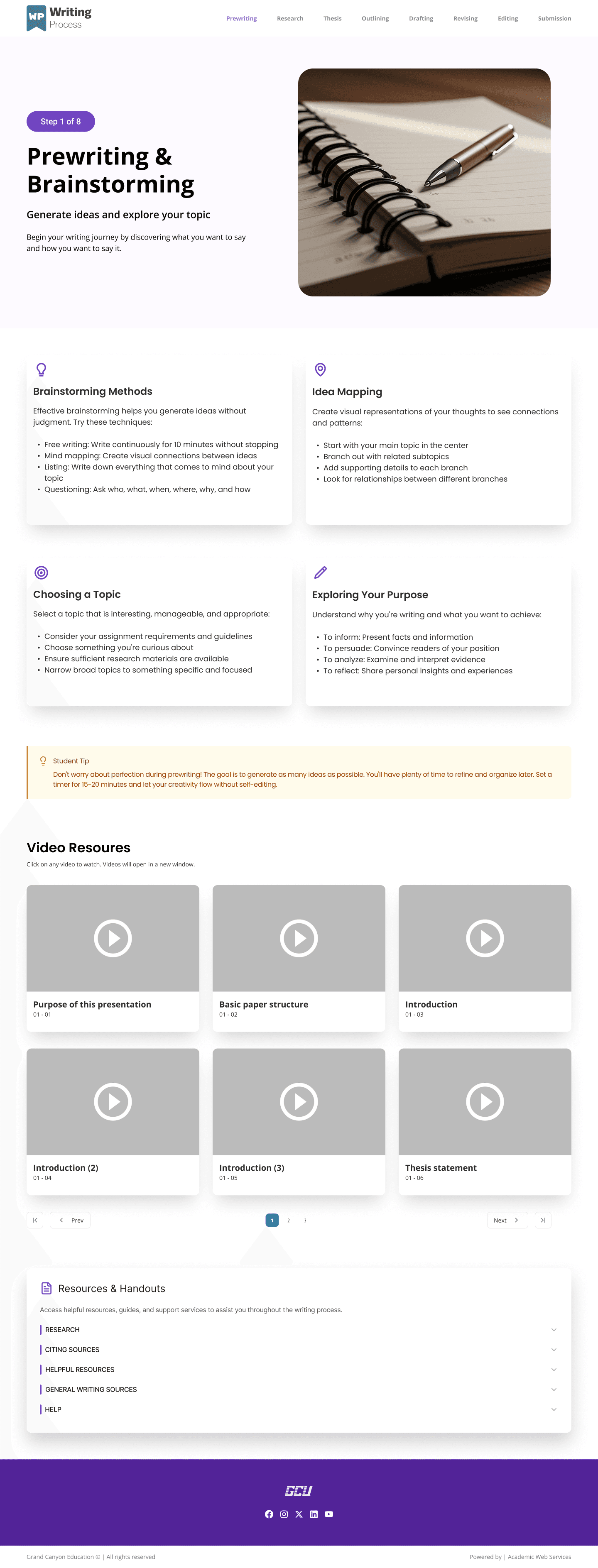
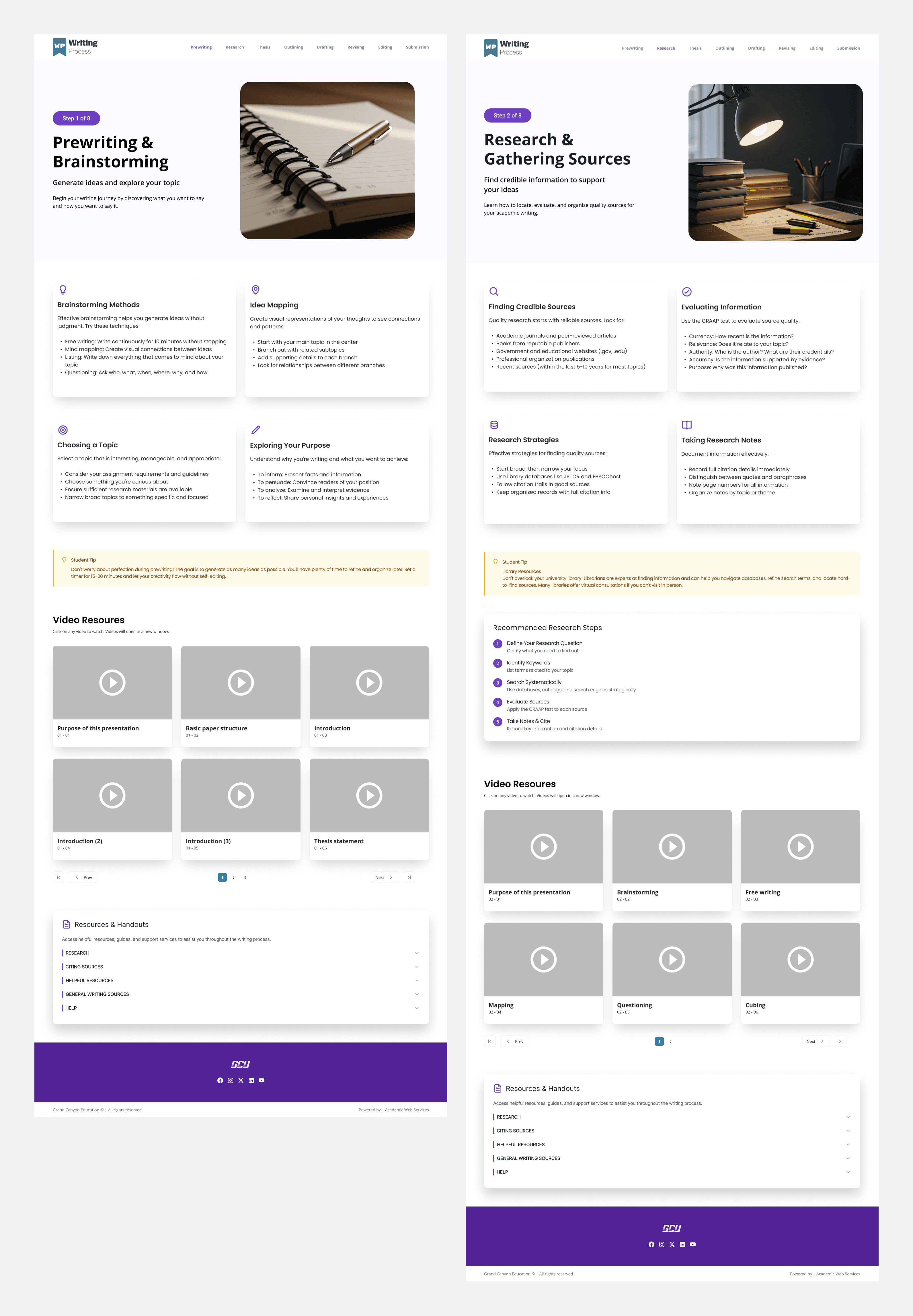
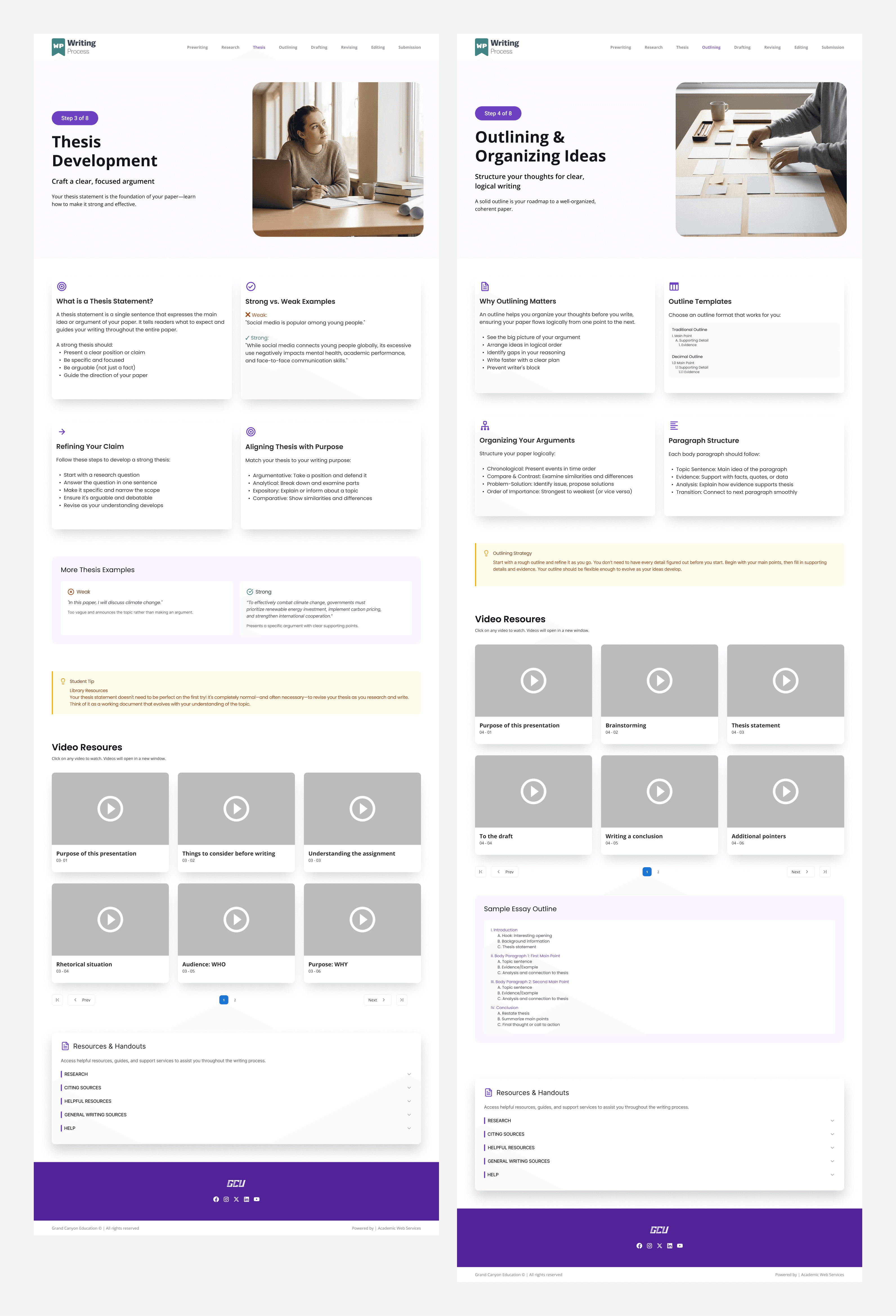
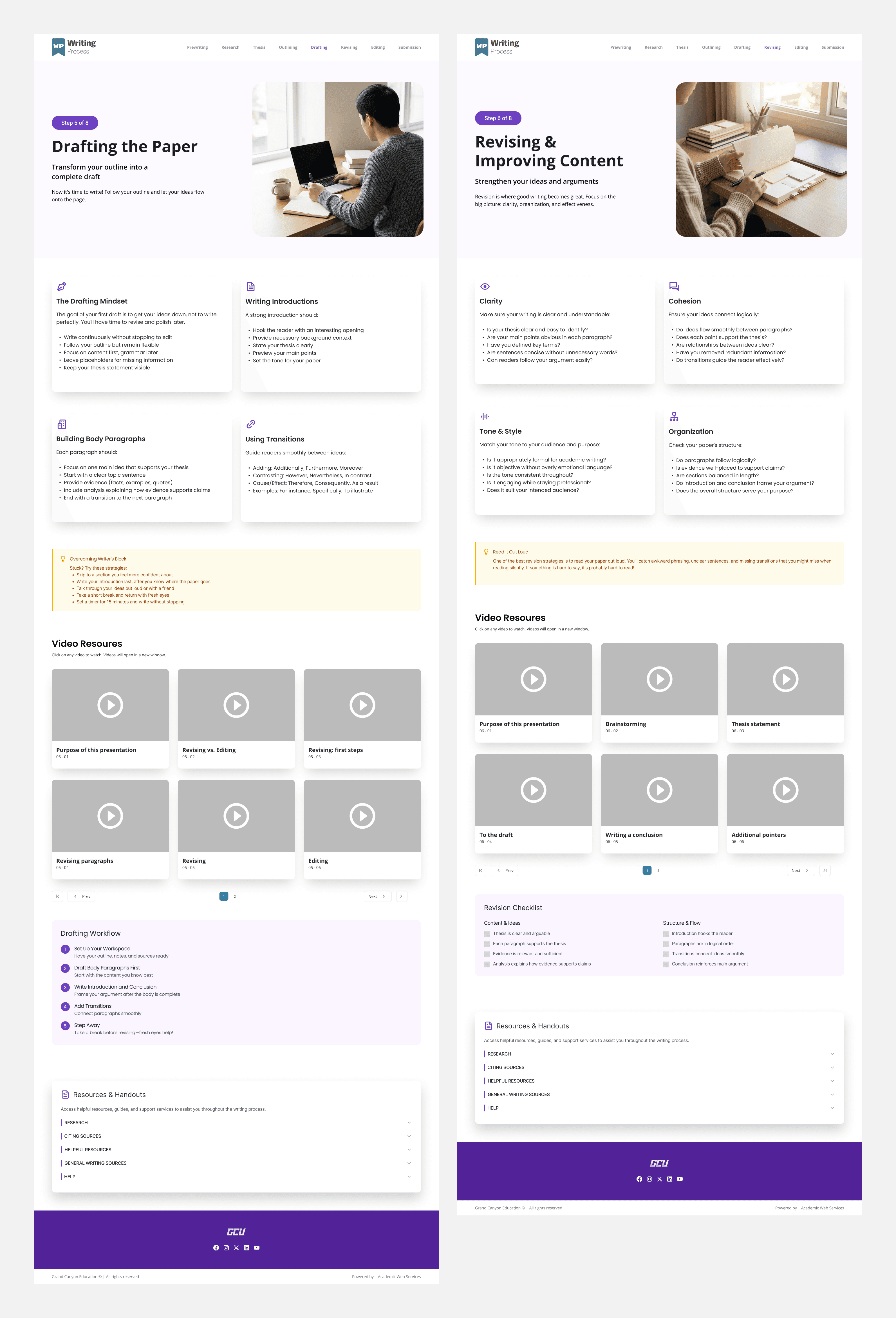
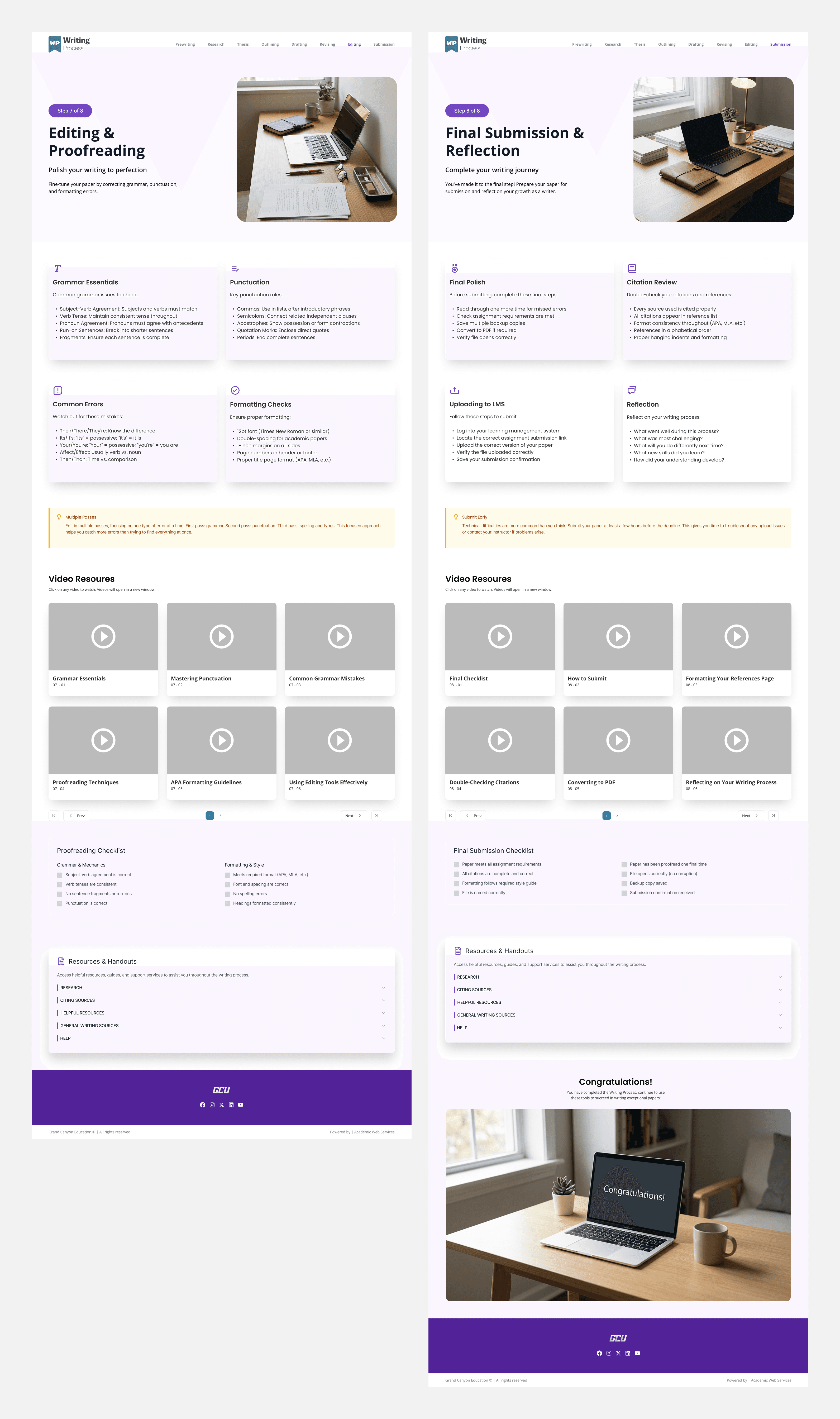
In response, the project shifted direction. Rather than refining the one-page experience further, the design restructured the resource into a linear, eight-page learning flow, with each page dedicated to a single stage of the writing process.
This pivot reframed the site from a reference tool into a guided instructional experience, reducing cognitive load and reinforcing learning through progression.
Final Solution
The final design presents the writing process as a clear, step-by-step journey:
Outcome
The redesigned experience improves:
Discoverability of instructional content
Student understanding of the writing process
Engagement with videos and resources
Alignment with GCE’s/GCU's UI and accessibility standards
Most importantly, it transforms writing support from something students must navigate into something that guides them forward.
Lessons Learned
This project reinforced that strong UX decisions often emerge through iteration. While the initial problem was clear—overwhelming, hidden content—the most effective solution only became clear after testing assumptions and listening to users.
Designing for learning requires not just clarity of information, but clarity of progress.
Thank You!